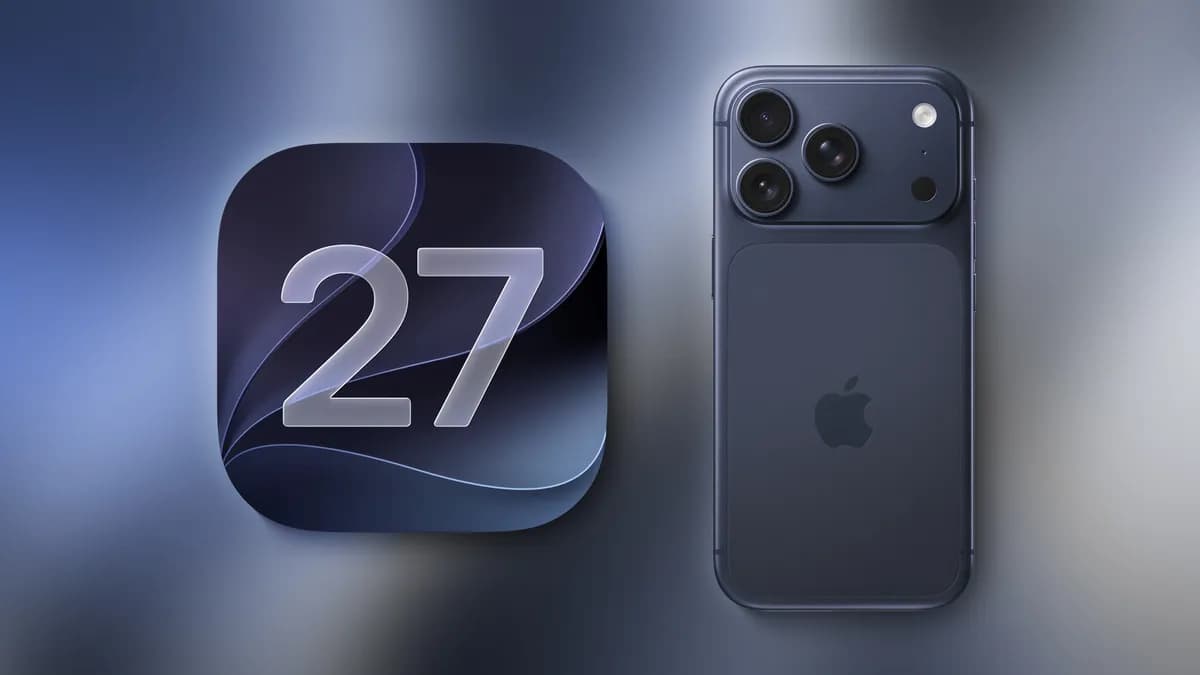
You tapped the update button, burned through the download, and opened Settings expecting a brand-new Siri. Instead, you got a queue number. On September 14, 2026, 9to5Mac reported what many early upgraders have now discovered firsthand: iOS 27 has a waitlist for access to the new Siri AI, and installing the software does not put you at the front of the line. The iOS 27 Siri AI waitlist is not a bug, and it is not a regional quirk. It is an intentional gate, and understanding why it exists will save you a lot of refreshing.
iOS 27 Is Out — But Siri AI Isn't Available to Everyone Yet
The pattern is familiar by now. Apple shipped iOS 27 as a finished operating system, but the headline feature inside it — an AI-rebuilt Siri — sits behind an access queue. A user in Chicago on a launch-day iPhone 17 Pro gets the same treatment as a user in Manchester on a three-year-old handset: the OS installs, the Siri icon looks the same, and the assistant behaves the same until Apple grants access.
That split between "software available" and "feature available" is the defining characteristic of this release. MacRumors and 9to5Mac have both documented Apple's growing reliance on staged feature delivery, where the binary ships broadly and the intelligence layer arrives in waves. For consumers, this creates a genuinely confusing moment. Your phone says iOS 27. Your Settings app says you're current. And yet the feature everyone talked about during the beta cycle is nowhere to be found on your device.
The waitlist itself is the mechanism Apple chose to manage that gap. It is not a lottery, and it is not a permanent restriction. It is a throttle — and throttles exist for reasons.
Why Apple Is Using a Waitlist for the New Siri AI

Serving a rebuilt AI assistant to a user base that measures in the hundreds of millions is not like flipping a switch in a data center. Industry analysts covering Apple's AI infrastructure have repeatedly pointed out that a hybrid assistant — one that handles routine commands on-device and routes complex requests to cloud servers — creates a demand curve that spikes the moment a software update goes live. Every eligible device that activates the feature at once represents a new, persistent stream of inference requests.
Read next iPhone Duo's Hidden Fake Bezel Setting ExplainedApple has run this play before, and the precedent matters. When Apple Intelligence rolled out alongside iOS 18 and then expanded with iOS 18.1, the company staggered feature availability rather than opening the floodgates. Some capabilities arrived later than the OS version that nominally contained them. Reporting from 9to5Mac at the time documented users waiting weeks for features their hardware officially supported. The iOS 18.1 cycle became the template: ship the framework, then meter the intelligence.
Server-side capacity is the practical constraint. A conventional Siri request is lightweight — parse an intent, trigger a system action, return a short response. A generative assistant answering a multi-step question, summarizing a document, or maintaining conversational context consumes orders of magnitude more compute per query. Multiply that by a launch-day activation surge and you have a capacity problem that no amount of on-device processing fully solves, because the hardest requests still land in Apple's data centers.
A waitlist gives Apple three things at once: a controlled burn-in period to catch problems before they hit everyone, a way to measure real-world demand against provisioned capacity, and a public-facing queue that sets expectations without promising a date. It is unglamorous infrastructure management wearing a consumer-friendly interface.
How to Check Your Waitlist Status and Sign Up

The practical steps are straightforward, even if the outcome is not immediate. Access to the new Siri AI is managed through Apple's settings, and joining the queue is the trigger that puts you in line.
Open Settings and look for the Siri section. If Apple has surfaced the waitlist for your device and region, you will see an option to request access to the new Siri AI. Confirming that request enrolls you. There is no payment, no additional purchase, and no way to buy your way forward. Once you have requested access, the status indicator in that same settings panel becomes your source of truth — it will tell you whether you are waiting or whether access has been granted.
A few practical notes drawn from how Apple has handled similar staged rollouts. First, your device needs to be running iOS 27; older operating systems will not show the option at all. Second, availability can vary by language and region, so two people on identical hardware in different countries may see different states. Third, there is no reliable trick to jump the line. Signing out and back in, resetting network settings, or reinstalling the OS will not move you forward, and some of those actions can cost you time by disrupting your device state.
If you do not see the waitlist option at all, the most likely explanation is that Apple has not yet opened enrollment for your configuration. That is a waiting game in itself, but it is a different one.
What to Expect From the New Siri AI Once You Get Access
The honest answer, given what has actually been confirmed, is that the new Siri AI is a rebuild rather than a reskin. Apple's positioning throughout the iOS 27 cycle has centered on a more capable assistant that handles context, multi-step requests, and natural conversation better than the Siri users have complained about for a decade.
For anyone who lived through the iOS 18.1 rollout, the experience pattern is instructive. Features did not arrive all at once even after access was granted. Capabilities unlocked progressively as Apple expanded server capacity and refined models. Users who gained entry early often found the assistant improving week over week without a software update, because the intelligence layer lives partly on Apple's servers rather than entirely in the binary on your phone.
That matters for setting expectations. Getting off the waitlist is the beginning of access, not the end of the story. Treat the first weeks as a rolling introduction rather than a finished product launch, and you will be less frustrated when a capability you read about is not yet live on your device.
How Long Could the Wait Be? What History Tells Us
Nobody outside Apple knows the current queue depth, and anyone quoting you a specific number of days is guessing. What history offers instead is a range of plausible behavior.
The Apple Intelligence rollout across iOS 18 and iOS 18.1 established that Apple is willing to stretch feature availability across weeks, and in some cases longer, when infrastructure or quality demands it. That cycle saw users who installed the correct OS version on day one still waiting for capabilities their hardware supported. The gap between "shipped" and "available" was measured in weeks for many users, not hours.
Two variables will determine where you land. The first is capacity: as Apple brings additional server resources online, the queue drains faster. The second is quality signals. If early access holders surface problems, Apple slows the release rather than accelerating it. A waitlist is, among other things, a circuit breaker.
The reasonable planning assumption is that this is a matter of weeks, not days, and that the queue is not strictly first-come-first-served. Device, region, and language all appear to influence eligibility, which means two people who signed up at the same moment may not be served at the same moment.
Should You Have Upgraded to iOS 27 Already?
Yes — and the frustration is understandable but misplaced. Upgrading to iOS 27 did not cost you anything on the Siri front, because the waitlist gates the feature regardless of when you install. There was no advantage to holding back, and there is no penalty for having moved early. The iOS 27 Siri AI waitlist applies to the feature, not to the operating system, and every eligible device eventually flows through the same queue.
If you are weighing whether to update now or wait, the calculus is simple. Installing iOS 27 gets you the platform-level changes, security updates, and the enrollment path for Siri AI. Delaying gets you none of those and does not shorten your eventual wait. The one scenario where patience pays is if you depend on your device for critical work and prefer to let others absorb the first wave of OS bugs — a reasonable posture for any major release, unrelated to Siri.
The smarter move is to request access now, then stop thinking about it. Check the status in Settings periodically, keep your device updated to the latest iOS 27 point release, and let the queue do its work. Apple has run staged rollouts through iOS 18, iOS 18.1, and now iOS 27, and the pattern has held every time: the wait is real, the access does arrive, and the people who enrolled early are the ones who get there first.
Source: 9to5Mac